


No — your data will automatically migrate to the new app under your existing email address.
Your documents, Storypoints (appointments, diagnoses, test results, and more) and About details will all carry over automatically, so you can pick up right where you left off.
Some of your preferences will be migrated to the new app, but not all.
We recommend taking a moment to review your settings when you first sign in.
Your existing account and data will move across automatically, no manual migration needed.
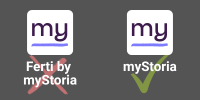
Simply download the new myStoria mobile app and sign in with the same email address you used for the myStoria Web App and for Ferti. We'll guide you through the next steps from there.
You will automatically have a Premium myStoria subscription through to or beyond your original Ferti subscription end date.
To review your subscription information:
In a few edge cases, we might be a bit slow to apply your unique circumstances. Check back a few weeks before your next renewal, or reach out to our team at concierge@mystoria.com.
Nothing important will be lost. The health data and insights from your previously completed Fertility Health Assessments will carry over as Storypoints in your timeline.
However, the new myStoria will not automatically prompt you for specific fertility survey data. The new myStoria has been redesigned to flexibly support every twist and turn of your health journey — whatever that looks like for you.
Simply download the new app and login with the same email address. All of your subscription information has carried over to the new app.
Yes! All of your documents will carry over automatically, accessible in both your Vault and as Storypoints in your timeline.
Yes! Your Ferti chat history will be preserved and accessible as Storypoint details in the new app.
If you'd like to continue a conversation on a previous topic, simply start a new chat in myStoria and pick up from there.
As an existing customer, we've moved you onto the new app with a special pricing incentive. Your access price and duration will be as good or better than before.
To review your subscription information:
In a few edge cases, we might be a bit slow to apply your unique circumstances. Check back a few weeks before your next renewal, or reach out to our team at concierge@mystoria.com.
No. Historical Concierge messages will not immediately be available in the new myStoria app.
Your previous concierge history was not part of the myStoria web app or the Ferti app, and is not part of the data migration to the new app versions.
Don't hesitate to reach out to our team at concierge@mystoria.com — we're here to help get you up and running.
Please keep technical problems separate from health questions and concerns, and never send us personal health information via email.
The myStoria Circle Community is still accessible from mystoria-community.circle.so and through the Circle mobile app.
You can now more quickly shift between myStoria and Circle by navigating to the Discover tab in the myStoria app. Over the coming months, watch for more community features to be brought natively into myStoria too.
The new myStoria has been thoughtfully redesigned as a mobile-first experience, shaped by feedback from users who wanted their myStoria journey fully in their hands — literally.
We hope you'll give it a try and find it just as easy to love.
Ferti as a standalone app is retiring, but the specialist you know and love isn't going anywhere: Ferti has become Luna in the new myStoria app. Same expertise, new name.
Luna is joined by a team of new AI specialists too, so you'll have more support than ever before.
Your security is our top priority. As part of the migration to the new myStoria app, we strengthened our authentication process.
Because your original password was stored in encrypted form, it couldn't be transferred directly — so we ask that you create a new one when you first sign in. It's a small step that helps ensure that only you can ever access your data.
In the new myStoria app, you can ask Concierge questions by going to the Chats tab and navigating to the Ask the Concierge section.
To make sure our Concierge team has secure access to your critical medical information, please make sure to open new inquiries directly through the app.
Never send appointment requests or sensitive medical information via email.
Can’t find the answer you’re looking for? Please connect with our friendly team.
.svg)
