October 5, 2026
Find the Gaps in Your Health Story

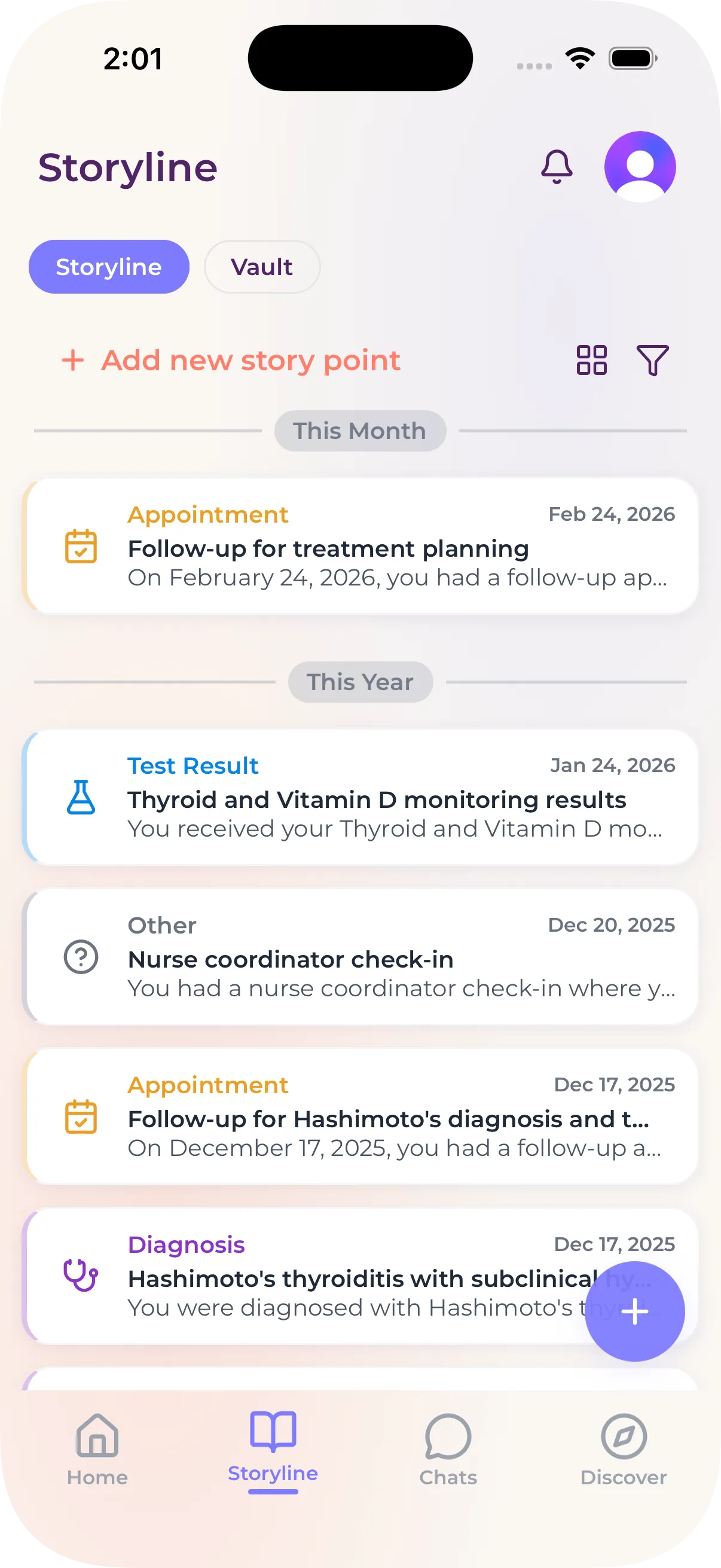
myStoria’s Storyline puts your records, labs, and visits on one timeline, shows the time between events, and helps you request records to fill the gaps.

.svg)



The first week is where it clicks.
You downloaded myStoria for a reason. Maybe you're trying to conceive, or somewhere in your reproductive health journey and want to actually understand what your body's doing. Maybe it's a symptom that won't quit, a question your last appointment didn't answer, or just the feeling that you should be keeping better track of what's going on with your body. Whatever brought you here, the first week is where the app stops being a thing on your phone and starts being useful.
And here's the thing tying it all together: your StoryLine. It's your health timeline, and it starts building the moment you finish onboarding. Every check-in, every file, every event you add, it all lands there. You're not doing busywork this week; you're building the one place that pulls your whole picture together.
Here's how to spend it. Each day is one small move and if you want to go deeper on any of them, there's a full post linked.
Day 1 — ...



Carly Malo is myStoria's Head of Concierge. She has 2 decades of experience in direct nursing care, having worked in long-term care, sports medicine, practical nursing, and fertility/reproductive health.